




Geometry Dash SubZero - Arcade













Geometry Dash SubZero - Arcade
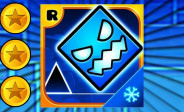
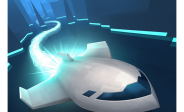
In this rhythm-based game for mobile devices you control a geometric cube as it glides through courses full of obstacles on a neon grid. Based on the well-known Geometry Dash series, this edition brings a distilled dose of full throttle arcade action that tests your reflexes and timing-abilities. Jump, fly and dash your way through traps, spikes and moving hazards to the beat of energetic music. The sounds and motions make each play level pretty challenging and addictive.
Geometry Dash SubZero - Arcade’s Features
One of the highlights in Geometry Dash SubZero - Arcade is the Gameplay that revolves around Music. Every level is built around vigorous EDM tunes that dictate your moves and actions.
Key features include:
- Three unique stages: Press Start, Nock Em and Power Trip
- Music from EDM stars MDK, Bossfight and Boom Kitty
- One-touch simple controls for easy gameplay
- Neon-themed visuals with fast-paced animations
- Unlockable SubZero icons and cube customizations
- Practice mode for skill advancement
- Progress tracking with attempt counters
The sound and gameplay synergy leads to an unparalleled arcade experience.
How to Play Geometry Dash SubZero - Arcade
Playing Geometry Dash SubZero - Arcade is a cakewalk but accuracy is needed. You only have one control: tap, click, or press to jump. Your task is to navigate your cube over perilous roads without crashing into any barrier. Timing is everything because even a tiny error can bring you back to square one. Thanks to mobile, keyboard, and mouse controls, this game can be played on just about any device!
Geometry Dash SubZero - Arcade Game Modes
This arcade versionfeatures different modes to suit players of all skill levels:
- Beginner Mode: Best for rookie players learning the game.
- Nock Em Mode: Fast paced and more challenging stage that requires concentration.
- Power Trip Mode: The toughest challenge of them all, maximum pace with extremely complicated designs.
- Practice Mode: In Beginner Mode, players can activate
- Practice Mode to access checkpoints and practice the stages instead of starting from the beginning, which makes it easier to get better.
Each level in Geometry Dash SubZero - Arcade becomes much harder than the last, making the challenge more rewarding.
Tips and Tricks for Geometry Dash SubZero - Arcade
To better your play, listen to the rhythm in the background music at all times. The music alerts you to upcoming obstacles, so you can react more quickly. Use Practice Mode liberally to repeat tough segments as much as you want and get a feel for the timing. You can also keep the feel of unlocking icons new and motivating. Never stop to remember that patience — and practice, and pacing — is the key to beating Geometry Dash SubZero - Arcade successfully, and the you’ll believe Kyle, and I, when we say it’s worth it.








Discuss: Geometry Dash SubZero - Arcade